
Miracast App3.5.4 - Google Play
You'll be able to see results in few seconds.
Publisher Description
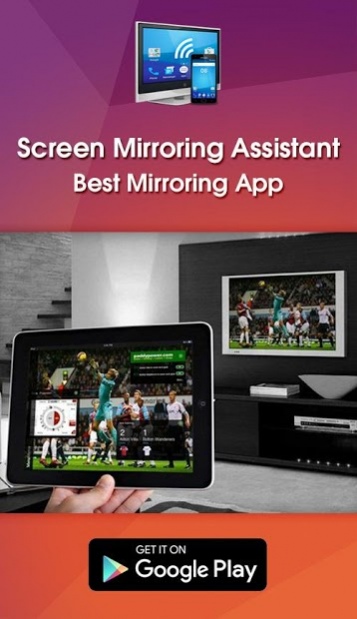
Miracast for Android to Samsung & LG smart TV screen mirroring assistant is for screencasting & display smartphone mobile screen, widget & shortcut. Screen casting for smart TV like samsung, LG, Panasonic, Toshiba & roku without Wifi just by using dongles or adaptors. Enjoy streaming Video & TV cast and all local cast series with miracast app.
Miracast app provides an easy shortcut and widget to use the Mira cast external display screencasting feature included in Android 4.2 and above! With this app, you will more conveniently be able to mirror your Samsung screen or use the cast feature from supported applications.
Miracast Display Finder or Video & TV Cast able to play videos, music, photos, etc in my smartphone with any devices (Smartphone, LG Smart TV, laptop, tablet, etc) at anywhere.
Miracast provides an easy shortcut and widget to use the Miracast external display screen or TV casting feature included in Android 4.2 and above!
With this app, user will more conveniently be able to mirror own screen or use the cast feature from supported devices.
To Share/mirror mobile screen to SmartTV or Wifi Display dongle connected to TV,
Following steps needs to performed:
1. Check your TV wheather it supports Wireless Display / Miracast.
2. Make sure TV is connected to the same WiFi network as your mobile device. You can't connect it with wired connection (LAN).
3. Make sure your Android device version is 4.2 or higher.
4. Make sure your device inbuilt hardware of Miracast.
5. Download and run Miracast App.
How to use?
Firstly App open then click on wi-fi display you will go on cast screen directly.
Enable the TV Miracast.
Tap on start wifi of the application.
Miracast application should be enabled.
Both will connect automatically to each other then you can see same mobile screen show on Smart TV.
Ease of Use: The app is fast event in 3g-4g-6g network and easy to browse.
Always required Miracast hardware support phones then it will connect successfully. Please read help instructions carefully and use the Miracast Display Application.
Miracast gives you -
- Truly amazing graphics
- Amazing animations
- Carefully crafted option more apps
- SuperB smoothness with collapsing screen.
Please note: that Miracast Display Finder works on 2G, 3G, 4G,6G and WiFi connectivity
The Screen Mirroring or Smart View feature is compatible with the following devices:
Samsung Galaxy S8, Samsung Galaxy S7, S8, S8 edge, Samsung Galaxy S6, Samsung Galaxy S5, Samsung Galaxy S4, Samsung Galaxy S III , Samsung Galaxy Note II, Samsung Galaxy Note 3, Samsung Galaxy Note 4, Samsung Galaxy Camera, Samsung 8” Galaxy Note, Samsung Galaxy Note 10.1”, Samsung Galaxy Note 10.1" edge 2017 Edition. Sony TV, Bravia, Bmw, choppy, c9 pro, car, directv, droid turbo delay, Emerson, Epson, Pixel, J7 Tab, S2 Tab, Huawei, HTC, Hisense, Hotstar, JVC & JIO Smart TV, Kindle Fire, Kodi, K20, keyone, LG TV, Nexus, Nokia, Roku Root, Playstation PS3, PS4, PS5, XBOX, Vizio, Vivo, Videocon, Xiaomi redmi mi5, Xfinity, Xperia, Zenfone, Zte Zmax, cyanogenmod, 4K smart TV.
About Miracast App
The company that develops Miracast App is Free Apps & Games ✅. The latest version released by its developer is 3.5.4.
To install Miracast App on your Android device, just click the green Continue To App button above to start the installation process. The app is listed on our website since 2017-09-23 and was downloaded 0 times. We have already checked if the download link is safe, however for your own protection we recommend that you scan the downloaded app with your antivirus. Your antivirus may detect the Miracast App as malware as malware if the download link to phone.sceeen.mirroring.smart.tv is broken.
How to install Miracast App on your Android device:
- Click on the Continue To App button on our website. This will redirect you to Google Play.
- Once the Miracast App is shown in the Google Play listing of your Android device, you can start its download and installation. Tap on the Install button located below the search bar and to the right of the app icon.
- A pop-up window with the permissions required by Miracast App will be shown. Click on Accept to continue the process.
- Miracast App will be downloaded onto your device, displaying a progress. Once the download completes, the installation will start and you'll get a notification after the installation is finished.
Program Details
System requirements
Download information
Pricing
Version History
version 3.5.4
posted on 2017-09-23
Screen Mirroring App will assist you to scan and mirror your android phone or tab's screen on smart TV/Display (mira cast enabled ) or Wireless dongles or adapters.
Screen Mirroring Able to play videos, music, photos, etc in my smartphone with any devices (smartphone, smartTV, laptop, tablet, etc) at anywhere.
Disclaimer
Official Google Play Link
We do not host Miracast App on our servers. We did not scan it for viruses, adware, spyware or other type of malware. This app is hosted by Google and passed their terms and conditions to be listed there. We recommend caution when installing it.
The Google Play link for Miracast App is provided to you by apps112.com without any warranties, representations or guarantees of any kind, so access it at your own risk.
If you have questions regarding this particular app contact the publisher directly. For questions about the functionalities of apps112.com contact us.
